Fix the keys and tags in your Rekordbox library

Half your tracks have no key, or a key you do not trust. The genre is blank on some and wrong on others. The same song is in the collection twice, and a few files moved when you reorganized a drive.

Fixing that by hand, one track at a time, is a weekend. Most DJs do not, and then dig through the wrong tracks at the gig.

A pixel turntable with a record on it.A pixel turntable with a record on it.A pixel turntable with a record on it.A pixel turntable with a record on it.A pixel turntable with a record on it.

How CuePoint helps: Clean

Match to Beatport, then review

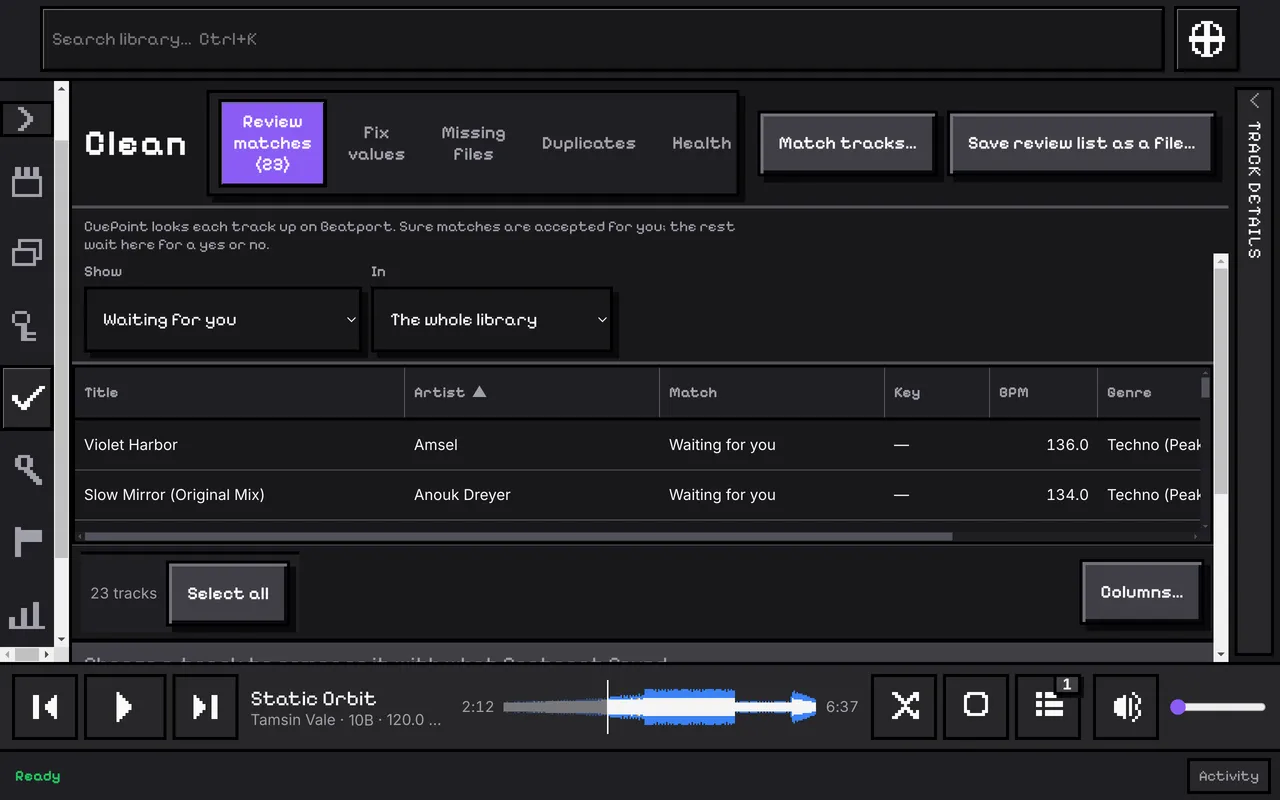
Pick a playlist, a Collection, your selection or the whole library and choose Match. CuePoint looks each track up on Beatport and keeps every candidate it found, with a score and the reason it turned down the ones it did not pick.

It accepts a match on its own only when the best candidate scores 95 or more and passes every check. Everything else waits for you in the review queue, where the keyboard does the work: A accepts, R rejects, N moves on.

Key, tempo, genre, label and year

An accepted match gives the track Beatport's key. Its tempo, genre, label and year are offered next to each other, and you tick the ones you want to apply. Your own values go on top and Rekordbox's stay underneath, so any change can be taken back.

Title, artist, remixer and album are never changed.

Duplicates and missing files

Clean groups tracks that may be the same recording: the same file, the same Beatport track, or the same artist, title and mix. It also lists the files that are missing or unreadable, and reports a drive that is not plugged in once, not as thousands of missing files.

A Health tab counts everything that needs you, and each count opens the Library on exactly those tracks.

The Clean page's review queue: the tracks a Beatport match left waiting for a yes or no, with their tempo and genre beside them.

What it does not do

  • It deletes nothing. No track, file or playlist is removed, moved or renamed. To get rid of a duplicate, remove it in Rekordbox and refresh.
  • It does not move missing files. Rekordbox's Relocate does that, and Clean shows you which files to relocate.
  • It does not guess. A track Beatport does not have gets no key from CuePoint, unless you type one yourself.
  • It does not work out a key from the audio. The values come from Beatport.

Keep going

Get notified of 1.0